OLED vs Mini-LED vs Micro-LED: What’s Actually Different
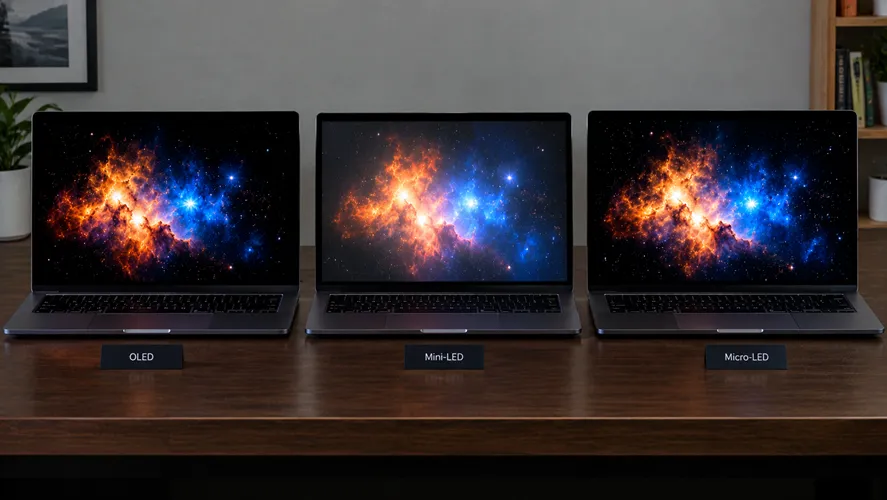
Quick answer: OLED produces the deepest blacks and best contrast because each pixel lights itself independently and can turn fully off — but it's more prone to long-term brightness degradation ("burn-in") with static images. Mini-LED is a backlighting upgrade for traditional LCD screens, using thousands of tiny LEDs grouped into dimming zones to get closer to OLED-like contrast, without the burn-in risk, usually at a lower price. Micro-LED is the newest and most expensive technology, combining OLED's per-pixel control with LED's brightness and longevity — but it's still mostly limited to premium, large-format displays as of 2026. For most people buying a laptop, monitor, or TV today, the real choice is between OLED and Mini-LED; Micro-LED remains a future-facing, high-end option.
Main keyword: OLED vs Mini-LED vs Micro-LED
The core difference: how each pixel produces light
The easiest way to understand these three technologies is to ask one question: does each pixel make its own light, or does something behind the screen shine through it?
OLED (Organic Light-Emitting Diode) pixels make their own light. Each individual pixel is its own tiny light source, made from an organic compound that lights up when electricity passes through it. When a pixel needs to show black, it simply turns off completely — which is why OLED blacks look truly black, with no light bleeding through.
LCD-based technologies (including Mini-LED) work differently. A layer of liquid crystals blocks or allows light to pass through, but that light still has to come from somewhere: a backlight positioned behind the whole panel. Traditional LCDs use a small number of large LEDs for this backlight, which limits how precisely the screen can control brightness in specific areas.
Mini-LED is an evolution of that same LCD approach — not a new display type. Instead of a handful of large LEDs, a Mini-LED backlight uses thousands of much smaller LEDs, grouped into hundreds or even thousands of independently controlled dimming zones. That gives it far more precise control over brightness in different parts of the screen than older LCDs, though each zone still lights up a small cluster of pixels together, not one at a time.
Micro-LED takes the “each pixel is its own light source” idea from OLED, but replaces the organic compound with microscopic inorganic LEDs — one tiny LED per subpixel. This gets you OLED’s per-pixel control and true blacks, combined with LED’s brightness and resistance to degradation over time. The tradeoff is manufacturing complexity: packing millions of microscopic LEDs onto a panel with zero defects is extremely difficult and expensive at consumer screen sizes.
Comparison at a glance
OLED
Mini-LED
Micro-LED
Light source
Self-emissive (each pixel)
LED backlight behind LCD layer
Self-emissive (each pixel)
Black levels
True black, per pixel
Very good, but “blooming” possible around bright objects
General use, bright rooms, long viewing sessions without burn-in worry
Premium/future displays, less common in consumer products today
Why “blooming” matters for Mini-LED
Because Mini-LED still relies on zones of LEDs rather than individual pixel control, a very bright object against a dark background (think: a single star in a night sky, or subtitles over a black scene) can produce a faint halo of light around it — a visible glow bleeding into the surrounding dark area. This effect is called blooming, and it’s the main visual giveaway that separates a good Mini-LED screen from a true OLED. More dimming zones generally means less blooming, but it never fully disappears the way it does on OLED, where each pixel is independently controlled.
Why burn-in is an OLED-specific concern
Burn-in happens when a static image — a taskbar, a news channel logo, a game’s HUD — stays on screen for extended periods, causing those specific organic pixels to degrade faster than the pixels around them, leaving a faint “ghost” of the image behind even after the content changes. This is a real, if often overstated, risk on OLED panels, especially with heavy productivity use (fixed taskbars, browser tabs) rather than varied content like movies or games. Mini-LED and Micro-LED, since they don’t rely on organic compounds that degrade with use, don’t share this specific risk.
Which one should you actually buy
You watch a lot of movies or play story-driven games in the dark: OLED’s contrast and true blacks are the biggest visible upgrade you can buy.
You use your screen for productivity for many hours a day, often with static elements on screen: Mini-LED avoids the burn-in question entirely, and modern Mini-LED panels get closer to OLED-like contrast than most people expect.
You want the brightest possible screen for a sunlit room: Mini-LED and Micro-LED both outperform most OLED panels in peak brightness.
Budget is the main constraint: Mini-LED typically costs less than OLED at a comparable size, while Micro-LED remains a premium, often impractical option for typical consumer budgets.
Frequently asked questions
Does Mini-LED count as OLED?
No. Mini-LED is a backlighting technology for traditional LCD screens — it's a meaningfully better LCD, not a different display type. OLED and Micro-LED are self-emissive technologies where each pixel produces its own light; Mini-LED is not.
Is Micro-LED the "next OLED"?
In concept, yes — it aims to combine OLED's per-pixel contrast with LED's brightness and longevity, without burn-in risk. In practice, manufacturing Micro-LED panels at consumer sizes and prices remains difficult as of 2026, which is why it's still mostly found in premium, large-format, or specialty displays rather than mainstream laptops and monitors.
Can OLED burn-in be avoided?
It can be significantly reduced through normal use: enabling built-in pixel-shifting features, avoiding leaving a single static image on screen for hours at a time, and using auto-brightness. For most people watching varied content (movies, games, browsing), burn-in risk in modern OLED panels is much lower than it was in earlier generations, but it isn't zero.
This explainer is part of DecodeLayer's Innovation & Future series, covering the display and hardware technology behind the devices we review.
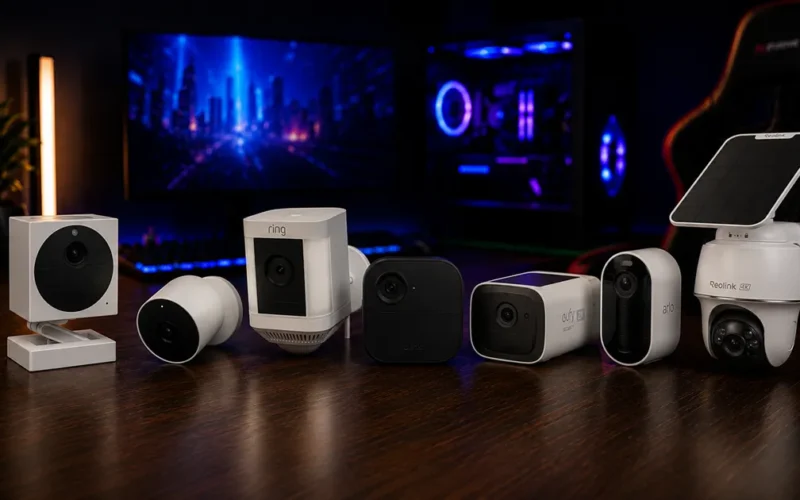
Wireless security cameras have come a long way in recent years — today it's possible to protect your entire home without drilling into walls or paying a mandatory monthly fee. We compared the most reliable options on Amazon, looking at video resolution, battery life, real first-year cost, and how easy each one is to install.
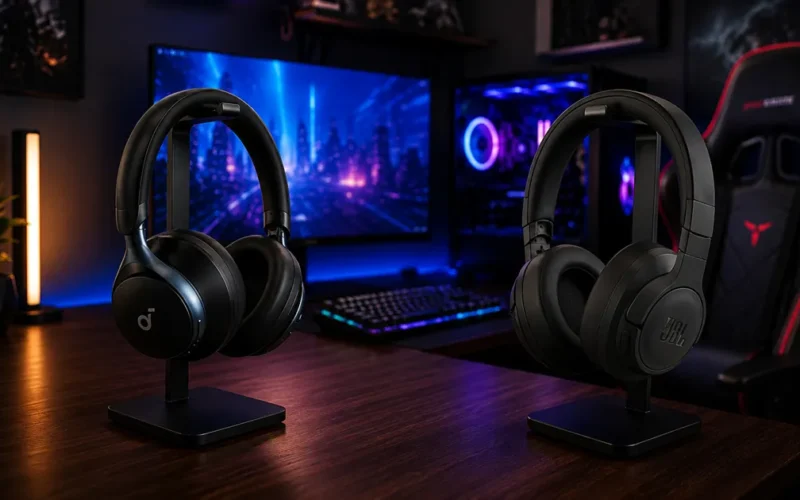
Two of the most recommended budget noise-cancelling headphones, each betting on a different strength: more refined sound on one side, absurd battery life on the other.
To provide the best experience, we use technologies like cookies to store and/or access device information. Consenting to these technologies will allow us to process data such as browsing behavior or unique IDs on this site. Not consenting or withdrawing consent may adversely affect certain features and functions.
Functional
Always active
O armazenamento ou acesso técnico é estritamente necessário para o objetivo legítimo de permitir o uso de um serviço específico explicitamente solicitado pelo assinante ou usuário, ou para o único objetivo de realizar a transmissão de uma comunicação por uma rede de comunicações eletrônicas.
Preferências
O armazenamento ou acesso técnico é necessário para o objetivo legítimo de armazenar preferências que não são solicitadas pelo assinante ou usuário.
Statistics
O armazenamento técnico ou o acesso que é usado exclusivamente com objetivos de estatística.Technical storage or access that is used exclusively for anonymous statistical purposes. Without a subpoena, voluntary compliance from your Internet Service Provider, or additional records from a third party, information stored or retrieved for this purpose alone cannot usually be used to identify you.
Marketing
O armazenamento ou acesso técnico é necessário, para criar perfis de usuário para enviar publicidade, ou para rastrear o usuário em um site ou em vários sites com objetivos de marketing semelhantes.